
How to Search Cases by Name
Start a Superior Court search at Odyssey Smart Search. Type a person as Last, First Middle. A company goes in under its own name. Cast the net wide at first, then narrow things through Advanced Filtering Options: Stevens County, case status, case type, filed date, judicial officer, or party type. Broad names pull long lists, so check the case number, caption, file date, and location against the matter before opening any record.
- Open Smart Search and choose the public search option.
- Type the party name in Last, First Middle order.
- Add Stevens County before applying narrower filters.
- Compare results, then open the case number for details.
| Field Label | Type | Required | Notes |
|---|---|---|---|
| Smart Search | Text | Yes | Case number or party name in Last, First Middle form |
| I’m not a Robot | Checkbox | Yes | Must be completed before submission |
| Court Location by County | Dropdown | No | Select Stevens from the Washington county list |
| Search Type | Dropdown | No | Party, business, attorney, case number, judicial officer, or another supported type |
| Case Type and Status | Dropdowns | No | Use after a broad search |
| Filed Date | Date range | No | Narrows results by filing period |
Stevens Odyssey Search Results
The first screen you get is a list, not a file. It typically lists case number, style, filed date, location, case type, and status. Open a case only after those fields line up. Inside, Odyssey sorts the material into tabs: Case Information, Party, Disposition Events, Events, and Hearings. Each tab answers a different question about the docket. Events form the chronological register. Hearings show settings. Disposition Events record results. Keep the limits in mind. A charge, complaint, or petition on the docket is an allegation or request, not a judgment. A hearing entry proves the calendar holds a slot, not that the hearing took place. Read the later event and disposition lines before drawing any conclusion.
Local rule: The Stevens County public calendar is not a substitute for Odyssey as the case docket.
How to Search by Case Number
A Stevens Superior Court case number follows XX-X-XXXXX-XX. Keep every hyphen. The first segment gives the filing year. The lone middle digit marks the case type. Five digits form the sequence, and the last segment is the county code. The county's published exhibit example, 24-3-00001-33, is a domestic case, since type 3 means domestic. Other codes matter too. Type 1 is criminal, and 2 is civil. Type 4 is probate, and 5 covers adoption or parentage. Type 6 marks mental illness or alcohol. Type 7 is juvenile dependency. Type 8 is juvenile offender, and 9 judgment. District and municipal matters may rely on JIS numbering or citation data instead. If the Superior pattern will not work, do not guess at the digits. Call District Court with the ticket or case number in hand.
Stevens Search Hearings Tile
Odyssey's Search Hearings tile is a separate tool from Smart Search. It shines when you know a date, party, attorney, or hearing type. It helps when you lack the case number. Filters cover county, hearing date range, hearing type, party, attorney, judicial officer, and courtroom. Categories run from Civil and Criminal to Family and Probate or Mental Health. Pick Stevens County first. The Tri-County Judicial District also covers Ferry and Pend Oreille Counties. An unfiltered calendar can mix in other locations as a result. Search Hearings supplies regular setting data that the county's public calendar may leave out. One caution applies. If a result clashes with another source, confirm the time with the current notice or the clerk.
What a Case Search Shows
A Stevens County result usually gives enough to identify and track a public case. Free document images are another matter. JIS-Link states plainly that it does not display case documents. Odyssey may show metadata and event titles while the pleading or order itself stays offline. Note the exact event title and date. Then ask the clerk who holds the file for the document.
| Case number | Exact court identifier, such as 24-3-00001-33. |
|---|---|
| Style and parties | Formal caption and public party roles. |
| Case type | Criminal, civil, domestic, probate, judgment, or another class. |
| Events | Filed items, court acts, notices, and orders in time order. |
| Status and disposition | Current status and any recorded closing result. |
Stevens District Court Fallback
District Court handles misdemeanors, gross misdemeanors, criminal traffic, civil cases within its limit, small claims, infractions, and municipal matters routed from Chewelah, Colville, Kettle Falls, and Springdale. The Washington Court Directory confirms that routing. Public JIS tools can help, but they are not the only channel. You can also call the District Court clerk at 509-684-5249 or visit Room 213 at 215 South Oak Street in Colville. Have the ticket number, case number, party name, and rough date ready. The clerk can tell you whether the matter is indexed there and explain copy options. A town hall runs city administration. It is not the court-record office unless an official source says so. Closed and archived files may still need a direct clerk search. Keep the request narrow. An approximate year plus a document name cuts search time and mistaken matches.
County vs Statewide Case Search
No single Washington screen unlocks every Stevens court record and document. Odyssey serves as the statewide-hosted public layer for Superior Court records. JIS and Find My Court Date support the courts of limited jurisdiction. Need the full file or certified copies? The county clerk offices remain the local, official source for anything absent online. The Washington Courts entry screen shows the statewide route used for case and hearing searches.
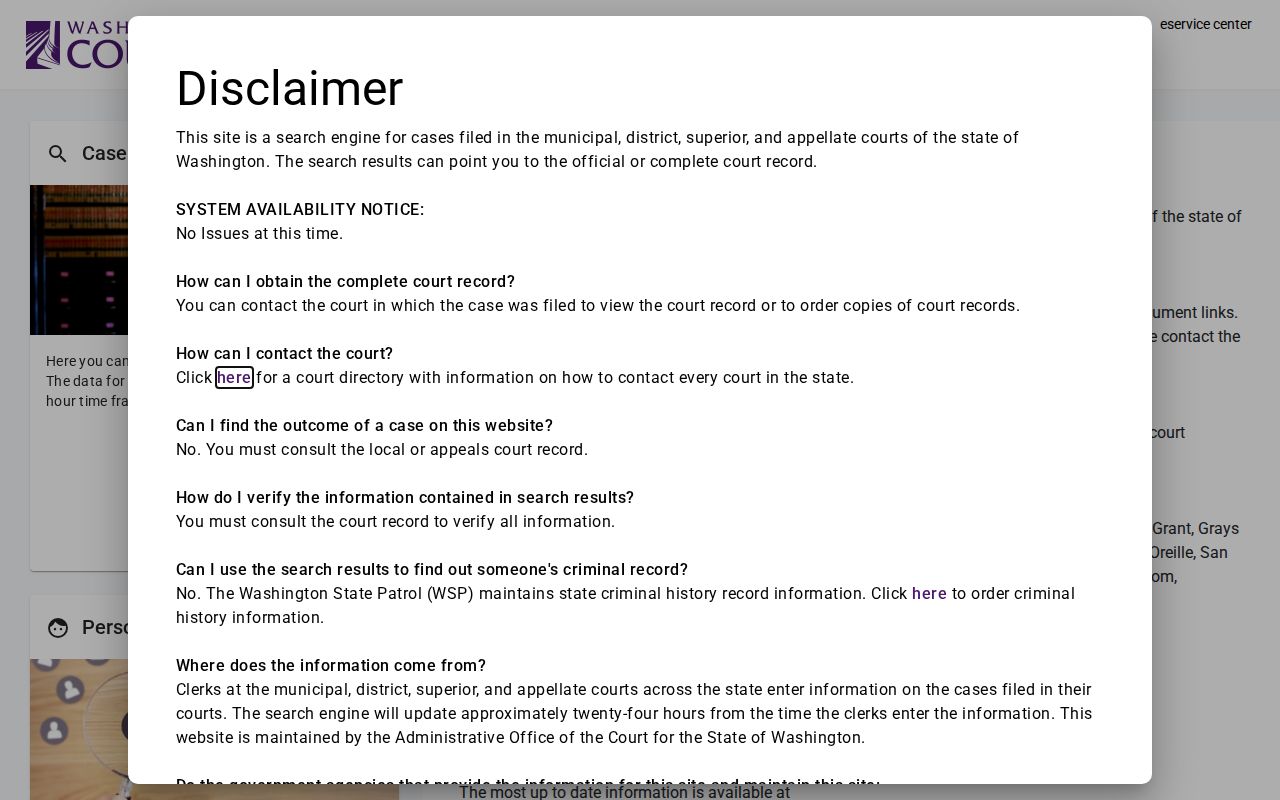
Treat that interface as a doorway, not an archive. Follow its routing to the court-level system, and when a public result lacks the filing you need, go to the clerk who holds the file.
| Electronic layer | Stevens clerk channel |
|---|---|
| Odyssey covers Superior Court public case data. | County Clerk supplies Superior documents and certification. |
| JIS supports District and municipal index/date work. | District clerk identifies limited-jurisdiction records. |
| Best for finding a number and current public events. | Best for absent, archived, or document-level requests. |
When Stevens Cases Stay Offline
A blank result does not mean the case is a myth. Typing errors cause most misses. So try alternate spellings, dropped hyphens, and any former names before giving up. Filters matter too. Pick the right court level and the right county. Otherwise the docket search may skip what you need. Some files never reach the web at all. Closed, sealed, juvenile, and restricted cases sit outside public view. Older Stevens County records may live only in paper files or clerk indexes. One more delay. An e-filing can take one business day to show up in the electronic file.
When the screen comes up empty, call the clerk. The County Clerk can search Superior matters by case number or party name. District Court handles limited-jurisdiction matters plus routed municipal cases. Ask for the specific event or document you need rather than the whole file. That narrows the fee estimate and points the clerk to the correct record faster.
Stevens JIS Codes in Plain Terms
District and municipal results lean on JIS or SCOMIS codes. An unfamiliar label belongs in the official code manual, which decodes them all. A few come up constantly. ABDOL means an abstract went to the Department of Licensing. BAILST means bail was set. APPOINT records the appointment of an indigent attorney, and AGTCF records an agreed trial continuance. Remember that one code marks a single event, not the whole case.
- Event
- An item filed, ordered, served, or otherwise recorded.
- Hearing
- A scheduled court appearance with a time, place, and type.
- Disposition
- The coded or written outcome of a case.
- Reset
- A setting moved to another date.
The local Odyssey system often translates codes into plain words for you. Still, read the dates around each entry and the events that follow, since an early entry can be replaced or resolved later. If a code's meaning could affect a deadline, confirm it with the clerk holding the file.
Stevens Free View and Paid Copies
Looking at a public docket is free. Ordering the paper is not. The County Clerk prices Superior electronic copies at $0.25 per page, with physical copies at $0.50 per page, and certification runs $5 for the first page plus $1 for each additional page of the document. District Court posts the same electronic and staff-copy rates, charging $5 per certified document plus $1 for each added page.
Before you order, use the case lookup to copy the case number and the exact event title. Then ask for a fee estimate. A plain copy works for ordinary review; a certified copy carries the clerk's authentication and suits any process that demands it. Confirm fees and availability first. The online index itself is not certified.
Restricted Cases and Access Rules
Washington GR 31 starts from a presumption that court records are open. Statute, rule, court order, and case law limit that openness. Public systems mask protected identifiers automatically. Juvenile records face special limits of their own. Official juvenile offender information never appears on a publicly accessible statewide website.
Sealing has its own rule. GR 15 requires written findings from a court. The parties' agreement alone is never enough. GR 22 shields listed family, financial, health, guardianship, and therapeutic material. Even then, a public caption may remain visible while the source document stays blocked.
Requesting a sealed item does not unlock it. The clerk cannot hand one over on a request alone. Someone seeking restricted family material may need a motion, a declaration, and a court order. A Stevens County court record search may turn up public copies. Ask for the actual pleading, order, or certification at Room 206 or Room 213.